
Aether RF IoT
The web portal for KNECT devices
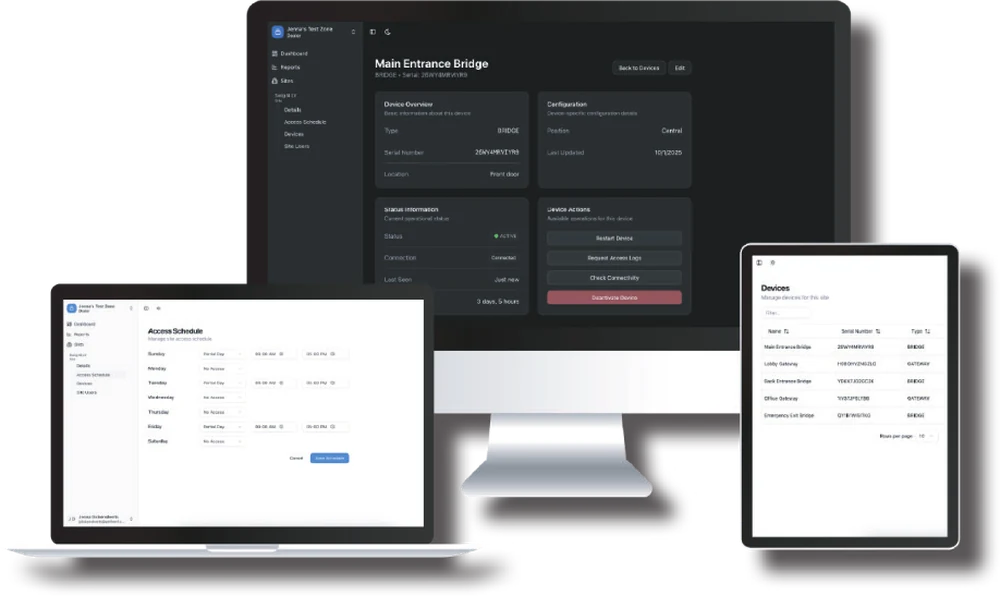
Every KNECT device your company has claimed, on one screen, across every site. Signal, power, temperature and uptime, with the history behind them.
Optional. A KNECT bridge installs, pairs and runs whether or not anybody signs in.
What the portal shows you
For every claimed device, on every site your company has claimed. Check a link from your desk instead of driving out to it.
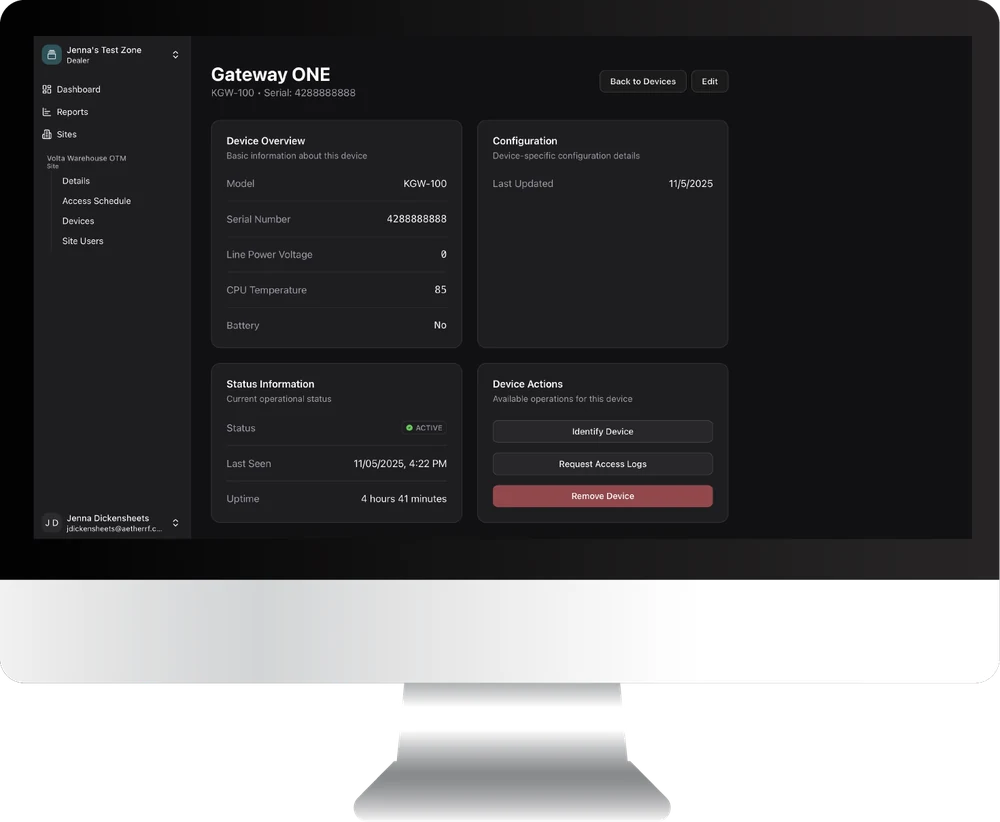
| Signal strength | Now, and over time |
|---|---|
| Status | Connected or not, and when it was last seen |
| Uptime | How long it's been running |
| Line power voltage | What the device is actually being fed |
| Battery | The state of a backup battery, if one's fitted |
| Temperature | The temperature at the device |
| Position | Central or Remote |
The history behind every reading
The history shows whether a reading has changed since the install or has read the same from day one. A change usually means something new on site, like a building or a parked trailer in the path.
Every site under one login
A fleet dashboard shows the health of every claimed device across every site, and each site has its own. Reports for a site download from the portal.
What you can do from your desk
Four device actions, each one a trip to site you don't have to make.
- Restart a device
- The first thing you'd send somebody out to do
- Request command logs
- Confirm a command made it all the way through to the device
- Check connectivity
- Ask the device to answer now, instead of reading its last known state
- Deactivate a device
- Take a unit off the account when it comes off the wall
What claiming a device gets you
Claiming puts a device on your company's account, in the portal and in the app. It takes the serial number off the label.
At the door
Confirm the link came up strong before you pack the ladder.
Three weeks later
When a call comes in, look at the device first, then decide whether to send somebody.
It stays yours
While a device is claimed to your company, no other installer can get into it or change its settings.
Monthly monitoring
Integrators bill the portal to their own customers as a monitoring service.
Which devices it covers
Every KNECT device. A technician sees the sites your company has claimed and no others, with the same login in the portal and the app.
| KNECT Endpoint | Yes. It has an Ethernet port for it |
|---|---|
| KNECT Gateway | Yes, over Ethernet |
| KNECT Core Access | Yes, when it ships. The System Leader connects, and the Followers reach it through the Leader |
| Wiegand Wave 150 | No. It has no Ethernet port. That and OSDP are the two differences between a Wave and an Endpoint |
How to get started
Register the company, add your technicians, then claim the devices you've installed.
- 1Register your company at aetherrfiot.com
- 2Add the technicians who'll be signing in
- 3Claim your devices by serial number, from the portal or from the app
Questions about an account? Product support is (602) 396-4186, weekdays 8:30am to 5:30pm Arizona time, or send a support request.