
KNECT One to Many Kit
Wireless access control for several doors and gates
Connects several doors and gates back to one access panel, without running wire out to them.
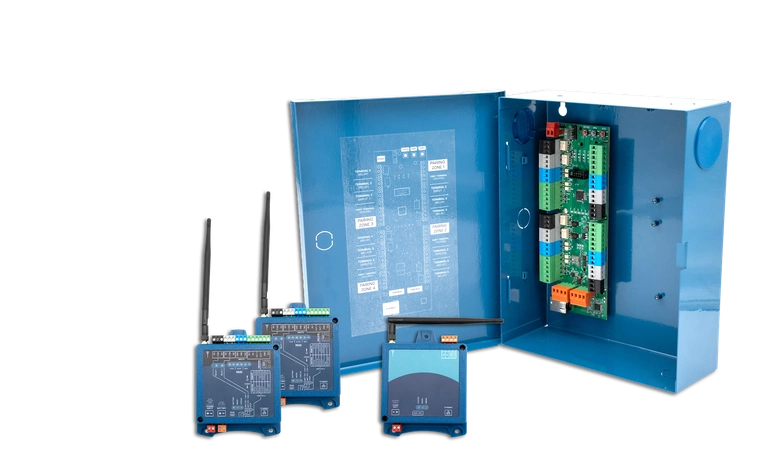
The kit covers two doors or gates.
Add one Endpoint for each door or gate after that. A single Gateway connects up to four.
| KNECT Gateway | KGW-100, mounted in its enclosure |
|---|---|
| ARF Tether | ARF-T100, the radio |
| KNECT Endpoints | KEP-200. Two of them, one for each door or gate |
| Transformers | The ones the kit needs, included |
Buy direct, or through your distributor.
Order the kit straight from Aether, or pick it up from the branch you already buy through.
Two-year limited warranty. Assembled in the USA. Sold direct and through authorized distributors.
What to order for your job
Count the doors and gates, then find your row. Each row is the whole order.
Two doors or gates
 1 kitOTM-K
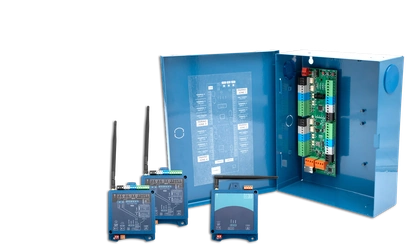
One Gateway, one Tether, two Endpoints and the transformers. Nothing else goes on the order.
Three or four
- 1 kitOTM-K
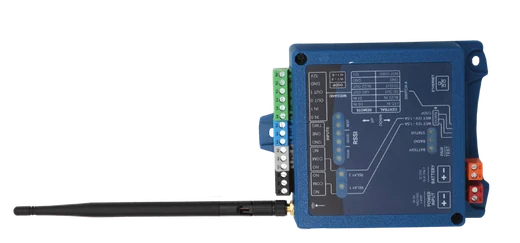 1 or 2 EndpointsKEP-200
One Endpoint for each door or gate past two. One Gateway covers up to four.
Five to eight
- 1 kitOTM-K
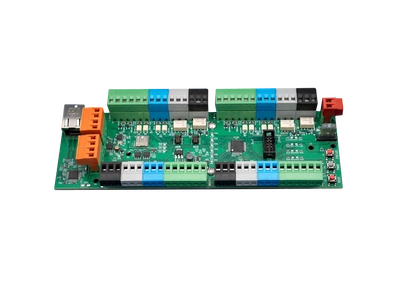 1 GatewayKGW-100
- 3 to 6 EndpointsKEP-200
One Tether serves both Gateways, and both boards fit in the kit's enclosure.
Nine or more
- First systemAs above
- Second systemSame again
Put a second system beside the first. There's no limit to how many systems one property can have.
Add a KGW-H if your readers are OSDP. A Gateway on its own is Wiegand only, and the KGW-H mounts on top of it.
What each part does
The ARF Tether is the part people most often take for an optional extra, and a One to Many system doesn't work without it.
KNECT Gateway
KGW-100
Wires into your access panel and takes its power from it, so you don't need a separate power supply. One Gateway covers up to four doors or gates.
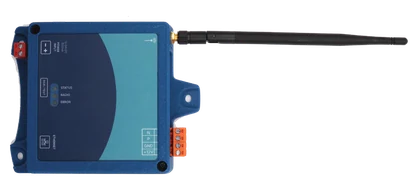
ARF Tether
ARF-T100
The radio. The Gateway board doesn't have one built in. Because the Tether is a separate part, you can mount it away from the panel, where the signal is better.
KNECT Endpoint
KEP-200
One goes at each door or gate. It wires to the reader and the lock the same way your access panel would if you had run cable out there.
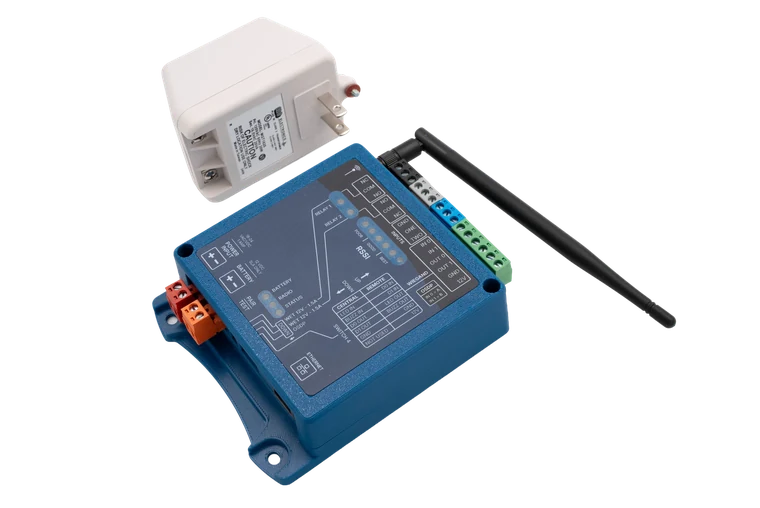
Transformers
Included
The kit includes the transformers it needs, and each Endpoint you add later comes with its own.
Put the antenna where the signal is
On a property job, the access panel is usually inside a building and the gates are outside. Where you mount the antenna matters as much as how far the signal has to travel.
How far the antenna can move from the panel
Radios work badly inside interior rooms and metal boxes, which is usually where the panel is. On a KNECT system the radio is a separate part, so the Gateway stays at the panel and the Tether goes where the signal is.
A typical wireless bridge, antenna on a coax lead
That gets the antenna out of the cabinet, but it stays in the same room as the panel.
KNECT, antenna on the ARF Tether
Up to 400 ft. That's usually far enough to put the antenna outside the building.
A property this size, covered by one kit
A build-to-rent community in Phoenix added two pedestrian gates at the far end of the property, with the rental housing between them and the access panel.
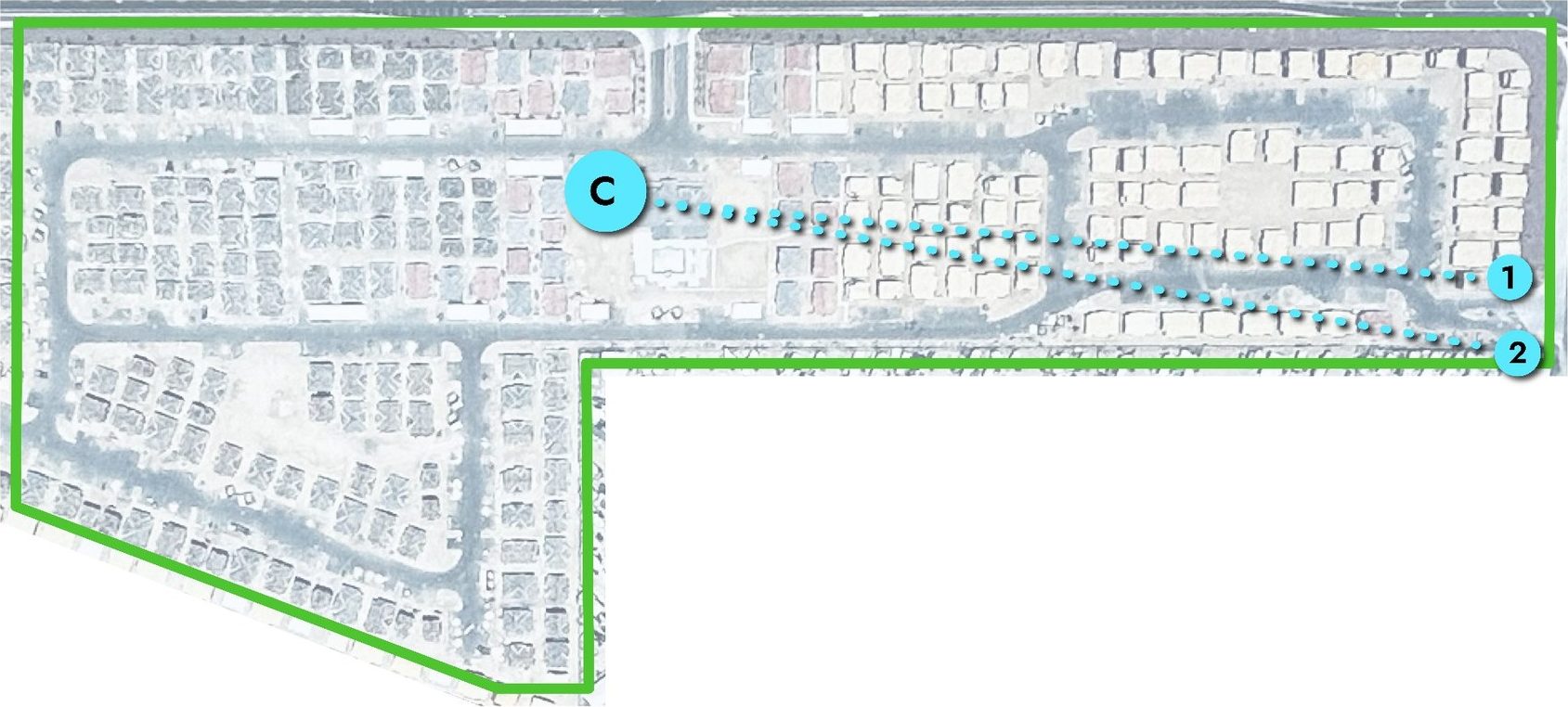
1,100 ft
From the gates to the panel, through the housing
C The Gateway12 The two pedestrian gates
- Site
- Build-to-rent community, Phoenix
- Property size
- 2,500 by 700 feet
- In the way
- Rental housing
- Hardware
- One kit. Every Endpoint links directly to the Gateway, so a fourth gate would get the same range as the first
What you can see after you leave the site
The cloud is optional. A KNECT system installs and runs without it. If you claim the units to an Aether RF IoT account, you can check a site from your desk instead of driving to it.
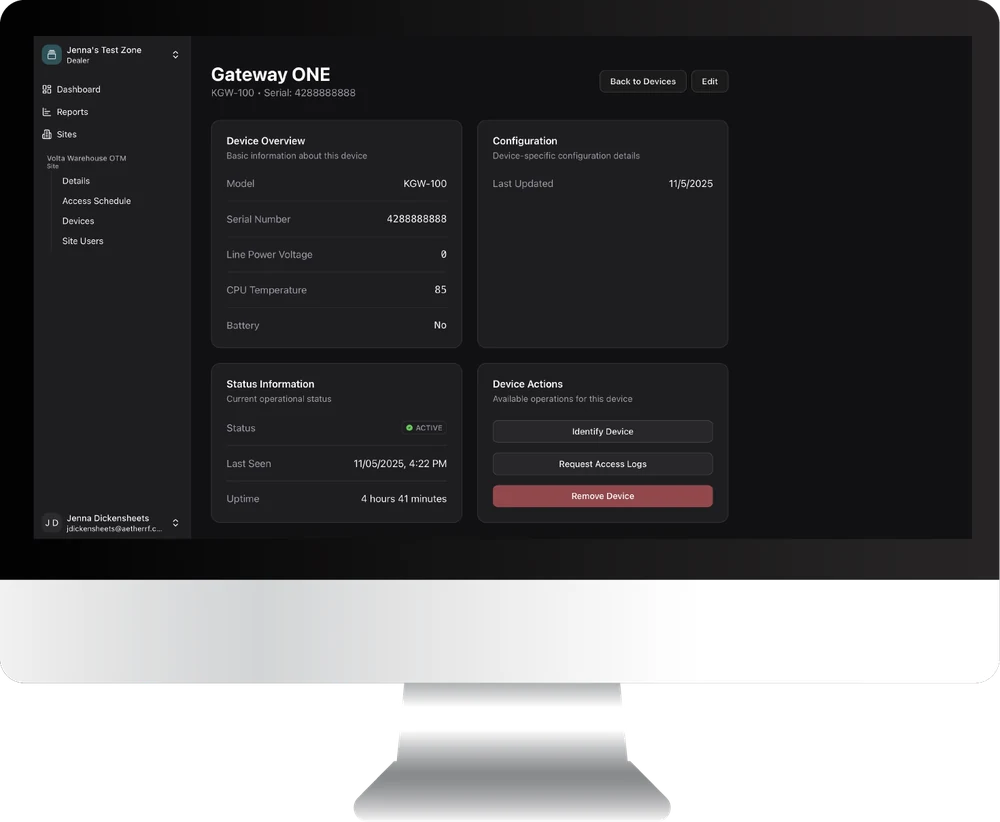
What the Aether RF IoT portal gives you
- Signal strength on every device, now and over time.
- The temperature at each unit.
- The state of the backup battery.
- Uptime, and when a unit was last seen.
- Restart a device without going to the site.
- Pull a unit's command log, to confirm data is passing all the way through.
- Check whether a site is still connected.
- Deactivate a device you've retired.
Integrators bill the portal to their own customers as a monthly monitoring service.
When to use the One to Many Kit
Use the kit when
- You've got two or more doors or gates running off one access panel you're keeping.
- The doors and gates are outside, spread across the property.
- Trenching or running conduit out to them would cost more than the job is worth.
- The site is going to grow, and you want to add a door or gate later without redesigning the system.
Use something else when
- It's one door or gate. Two Endpoints cover it without a Gateway, and a Wiegand Wave 150 costs less if the reader is Wiegand only.
- There's no access panel, or the one on site is being replaced. The kit extends an access panel. It can't act as one. That job is KNECT Core Access.
- There's usable cable already running out there. Wiring it costs less.
Specifications
Use a non-metal enclosure
KNECT units aren't weather tight, so outdoors they need a weatherproof box. Use a non-metal one. Metal blocks the antenna, so this is about the radio and not about keeping water out. If the job needs a metal can, order the KEP-203 instead. It's the same board in a can, with the antenna mounted outside.
Central and Remote wire differently
A Central unit and a Remote unit look identical, but they wire differently. Both layouts are printed on the face of every unit, and there's a full Central and Remote guide in Support.
KNECT Gateway, KGW-100
| Power | 12 VDC, from the access panel |
|---|---|
| Draw | 60mA idle |
| Protocols | Wiegand, 4 to 64 bit. OSDP with a KGW-H fitted |
| Relay | Dry, 1.5A at 12VDC, NO / NC / COM |
| Communication | Ethernet and Bluetooth |
| Capacity | Four doors and gates. Eight with two Gateways chained |
| Dimensions | 10.75 by 8.67 by 3.3 in, measured in its enclosure |
ARF Tether, ARF-T100
| Mounting distance | Up to 400 ft from the Gateway |
|---|
The kit, or a pair of Endpoints
| Radio | The same in both |
|---|---|
| Doors and gates | The kit covers two, and grows to eight. A pair covers one |
| Gateway | Included in the kit. A pair doesn't use one |
| Growing later | Add an Endpoint to the kit. A pair starts again with a kit |
KNECT Endpoint, KEP-200
| Band | 902 to 928 MHz |
|---|---|
| Channels | 50, frequency hopping |
| Protocols | Wiegand, 4 to 64 bit. OSDP |
| Relays | Two, wet or dry, 1.5A at 12VDC |
| Inputs | Two, for request to exit, door position and similar |
| Power | 15 to 24 volts, AC or DC |
| Draw | 64mA idle, 159mA transmitting |
| Reader supply | 12V at up to 250mA |
| Battery | Terminal for a 12V sealed lead acid |
| Dimensions | 5.7 by 4.4 in, without the antenna |
Across the system
| Operating temperature | −30 to 85 Celsius, or −22 to 185 Fahrenheit |
|---|---|
| Enclosure | The units aren't weather tight. Outdoors they go in a weatherproof box, with every antenna kept out of metal |
| Pairing | DIP switches on the units, or through the portal |
Questions installers ask
How many doors and gates does one kit cover?
Two, as supplied. Add a KEP-200 for each one after that, up to four on a single Gateway.
What happens past four?
Add a second Gateway. Both boards fit in the one enclosure, which brings you to eight doors or gates, and each one still needs its own Endpoint. One Tether serves both Gateways, so you don't order a second radio. Above eight, add a second complete system.
Does adding doors cut the range?
No. Each Endpoint links directly to the Gateway, so the distance is the same at every one.
Does it do OSDP?
With a KGW-H fitted, yes. Order one with the kit if your readers are OSDP. A Gateway on its own is Wiegand only.
Do I need the Tether, or can I skip it?
You need it. The Gateway board doesn't have a radio built in. Because the Tether is a separate part, you can mount the antenna where the signal is good.
Do I have to use the cloud?
No. Pair it on site with the DIP switches and leave it unclaimed. The portal is there when you want to bill monitoring.
What ships with it?
One Gateway in its enclosure, one ARF Tether, two Endpoints, and the transformers it needs.
Where to buy the kit
Order direct from Aether, or through a security distributor you already have an account with. Same hardware and the same two-year warranty either way.
Order direct
No account needed. Ships from Phoenix.
- One to Many KitOTM-KOrderGateway, Tether, two Endpoints and the transformers
- EndpointKEP-200OrderOne for each door or gate past the two in the kit
- OSDP HatKGW-HOrderAdd it if your readers are OSDP. A Gateway alone is Wiegand only
- GatewayKGW-100OrderThe second Gateway for a five to eight door system
Have questions? Contact us about your order.
Through a distributor
On your account. Picked up at the counter.
- Brooklyn Low Voltage Supply, branch locations, opens in a new tab
- Controlled Products Systems Group, branch locations, opens in a new tab
- IML Security Supply, branch locations, opens in a new tab
- Southwest Automated Security, branch locations, opens in a new tab
Want the branch you already use to stock Aether? Tell us who you buy from and we'll talk to them.
After you buy
| Warranty | Two years, limited, on every KNECT device |
|---|---|
| Warranty claims | Through the distributor branch you bought it from, or direct with us |
| Product support | (602) 396-4186, weekdays 8:30am to 5:30pm Arizona time |
| Main line | (833) 629-3111 |
|---|---|
| Install guide | One to Many, open to everyone, no login |
| Your distributor | Some branches handle first-line support themselves, so call yours first. |