
KNECT Tech
The technician app
Reads a KNECT device over Bluetooth while you stand next to it, so you can check the link and the settings before you pack up. The device doesn't need an internet connection for the app to reach it.
On iOS and Android. It signs in with an Aether RF IoT login.
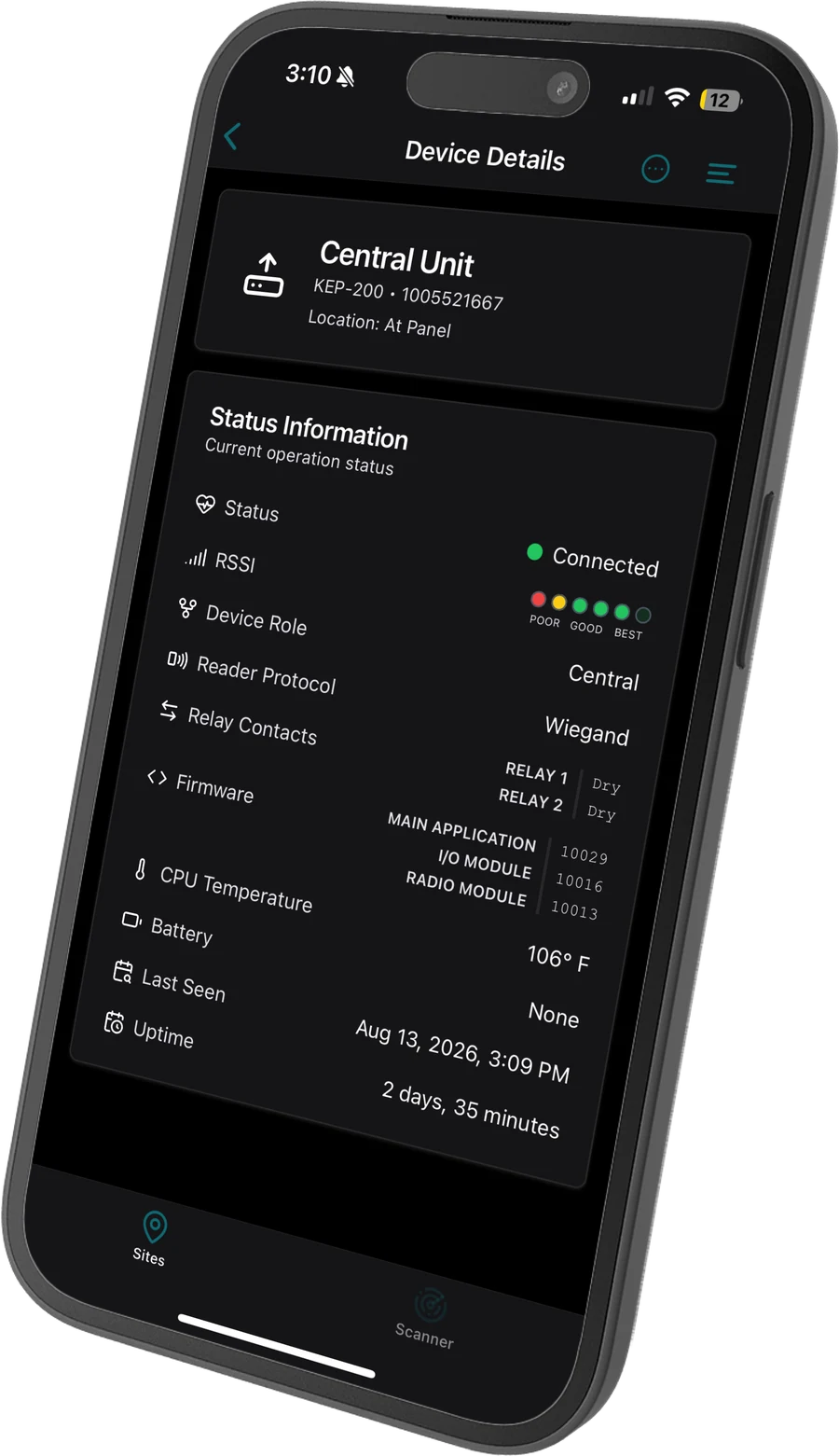
What you see standing at the device
Live readings off the hardware in front of you, including the settings that decide how it's wired.
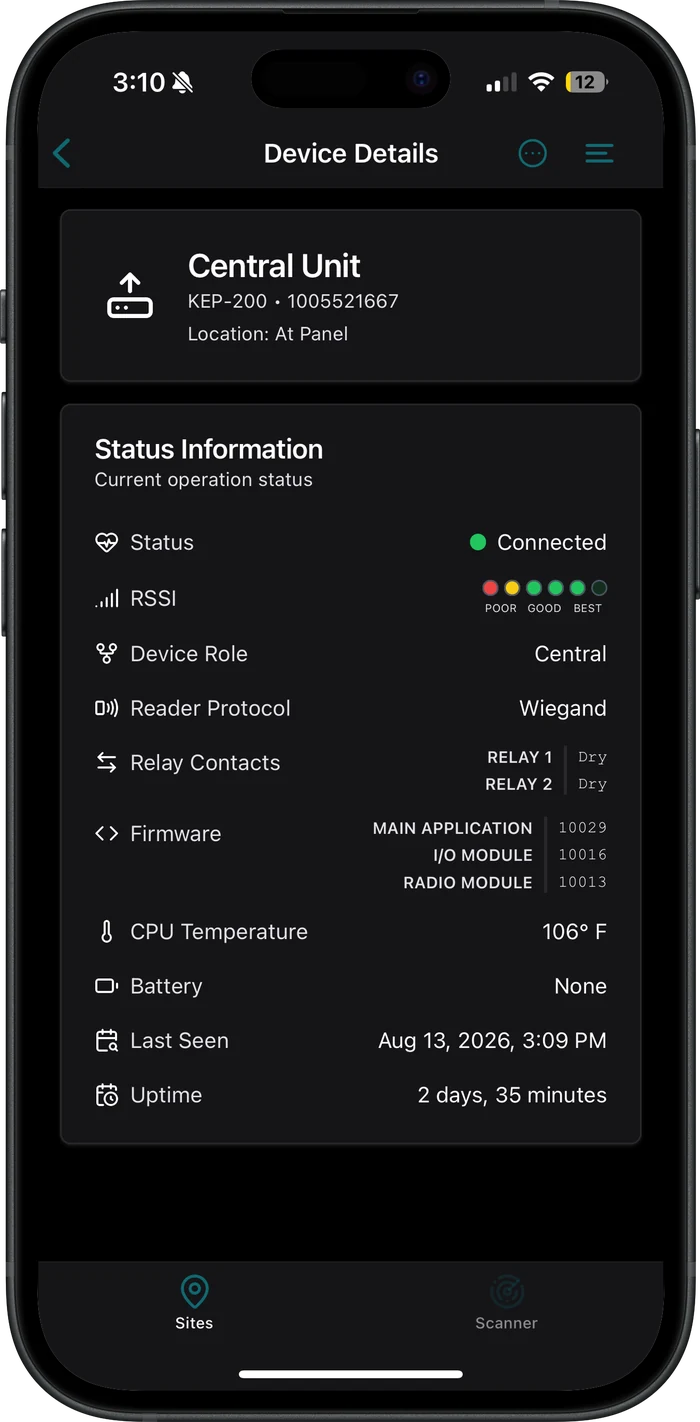
Signal strength
On the same poor to best scale printed on the board and shown on its LEDs.
- Battery
- KNECT devices take an optional backup battery, and the app shows whether one is fitted and when it's running low
- Reader protocol
- What the device is set for, against what the reader beside it uses
- Relay contacts
- Wet or dry, per relay, before you wire the lock to it
- Firmware
- The main application, the IO expander and the radio module, versioned separately
Status, device role, uptime, CPU temperature and last seen are there too.
What the app does at the device
Claim a device to a site, read it while you're standing at it, and change it without opening it.
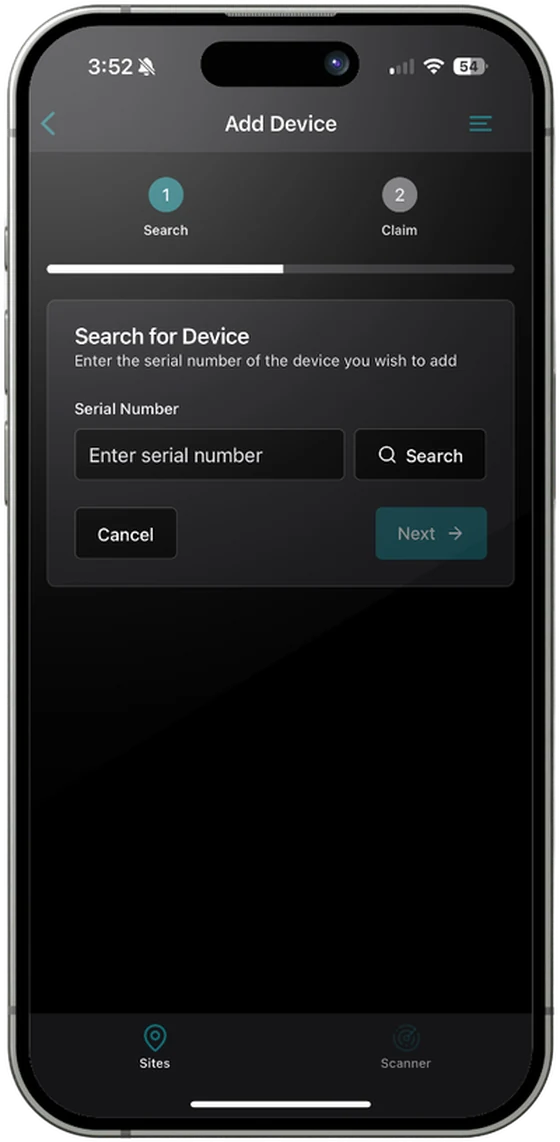
- Claims the device to a site. Search, then Claim. Enter the serial number off the label, and the device joins the site on your company's Aether RF IoT account.
- Reads the device live. Signal, role, reader protocol, relay contacts, firmware and power, off the hardware in front of you.
- Changes settings you've already programmed, from the phone, without opening each device.
- Sets up KNECT Core Access, when it ships. The whole Core Access install runs from the app.
Pairing happens on the units
A Central and a Remote pair with the DIP switches on the boards, or through the portal. The app is what you use once they're paired, to claim them, read them and change them. A bridge installs and runs whether or not anybody opens it.
What the app needs
A phone with Bluetooth, on iOS or Android, and two things on the account side.
An Aether RF IoT login
The app and the portal share one account. A technician signs in to both with the same login, so registering the company once covers both. Aether RF IoT portal
Devices claimed by your company
A technician sees the sites your company has claimed and no others. Claim a device in the app or in the portal, and it shows up in both.
Get the KNECT Tech app
Register the company at aetherrfiot.com, add the technicians who'll use it, then download the app on each phone.
Trouble with a device on site
Product support is (602) 396-4186, weekdays 8:30am to 5:30pm Arizona time.