
KNECT Endpoint
Wireless Wiegand and OSDP bridge
Puts a reader on a gate or door your access panel can't reach, without trenching, new conduit, or opening a finished wall.
You need two units, not one.
One at the panel, one at the reader. Buy the pair, or buy two singles.
A complete bridge for one gate or door
2 Endpoints · 2 transformers · 2 antennas
Adds a door to a One to Many system, or replaces a unit
1 Endpoint · 1 transformer · 1 antenna
One unit supplied in an enclosure instead of the open chassis
1 Endpoint in its enclosure · 1 transformer · 1 antenna
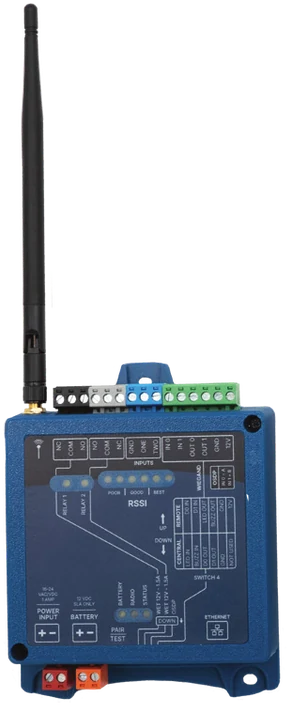
Buy direct, or through your distributor.
Order Endpoints straight from Aether, or pick them up from the branch you already buy through.
Two-year limited warranty. Assembled in the USA. Sold direct and through authorized distributors.
Point to point, or one to many
Which one you're building depends on how many doors and gates you're covering, and it changes what goes on the order.
Point to point
Two Endpoints, paired to each other. One at the panel, one at the reader.
- You order
- One KEP-202 pair, or two KEP-200 singles
- Good for
- One gate or door. Retrofits, self-storage, small gated communities, historic interiors
- Setup
- DIP switches on the units, under ten minutes, without a laptop
- OSDP
- Built in, with no extra part
One to many
A Gateway at the panel, an Endpoint at every door or gate.
- You order
- One OTM-K kit, then a KEP-200 per extra door or gate
- Covers
- Four Endpoints per Gateway, eight with two chained. The fourth gets the same range as the first
- Good for
- Industrial sites, distribution centers, larger HOA and build-to-rent communities
- OSDP
- Add a KGW-H hat to the Gateway
How a wireless bridge works, if you're new to them.
Where the antenna goes matters more than the distance
Most jobs run 500 to 2,000 feet through obstructions. Two units the same distance apart can perform very differently, depending on what's between them and where each one is mounted.
Poor
1 to 2 LEDs lit
Move an antenna before you leave.
Good
3 to 4 LEDs lit
Best
5 or more LEDs lit
The signal scale is printed on the face of the unit, so you read the link on site and move an antenna before the ladder comes down.
Central and Remote: same unit, different wiring
Both units are identical. The one you wire to the panel is the Central unit, and the one out at the door or gate is the Remote. Each role uses a different set of terminals, and both wiring diagrams are printed on the unit.
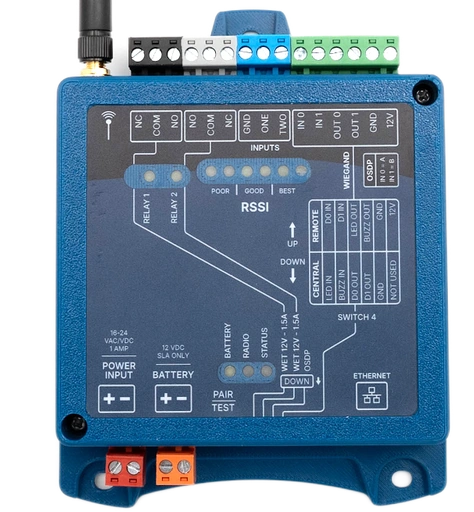
| Central | Remote |
|---|---|
| LED IN | D0 IN |
| BUZZ IN | D1 IN |
| D0 OUT | LED OUT |
| D1 OUT | BUZZ OUT |
| GND | GND |
| Not used | 12V |
What an Endpoint connects to
A KNECT Endpoint goes between your access panel and the reader you've already specified.
- Protocols
- Wiegand, 4 to 64 bit. OSDP.
- Panels
- Cloud or on-premise. The panel sees the reader the same way it would over a wire.
- Readers
- Any Wiegand or OSDP reader in that bit range. The Remote unit puts out 12V at up to 250mA, so it can power the reader.
- Relays
- Two per unit, wet or dry, 1.5A at 12VDC. Use them alone for a gate operator or a key switch.
When to use an Endpoint
Use a KNECT Endpoint when
- The reader location is somewhere the wire doesn't go, and trenching or opening a wall would eat the job.
- You're adding a gate or a door to a system that's already working.
- The run crosses pavement, goes through structure, or you're not allowed to dig.
- It's a retrofit, a historic interior, self-storage, or a gate on a spread-out property.
Use something else when
- There's usable cable already running out there. Wiring it costs less.
- The building is being wired from scratch and conduit is going in anyway.
- It's a single Wiegand reader. The Wiegand Wave 150 is the same hardware for less.
- There's no access panel, or the one on site is being replaced. A KNECT Endpoint extends an access panel. It can't act as one. That job is KNECT Core Access.
Specifications
Use a non-metal enclosure
A KNECT Endpoint isn't weather tight, so outdoors it needs a weatherproof enclosure. Use a non-metal one. Metal costs you signal, so this is about the radio and not about keeping water out.
Plan the power
15 to 24 volts, AC or DC. There's a terminal for a 12V sealed lead acid battery if it has to keep working through an outage.
Radio
| Band | 902 to 928 MHz |
|---|---|
| Channels | 50, frequency hopping |
| On-device link | Bluetooth, for the KNECT Tech app |
Protocols and outputs
| Wiegand | 4 to 64 bit |
|---|---|
| OSDP | Supported |
| Relays | Two, wet or dry, 1.5A at 12VDC, NO / NC / COM |
| Inputs | Two, for request to exit, door position and similar |
Power
| Input | 15 to 24 VAC or VDC |
|---|---|
| Draw | 64mA idle, 159mA transmitting, 2.6W peak |
| Battery backup | Optional 12V sealed lead acid, charged to 13.6V at standby |
| Auxiliary output | 12V at up to 250mA, for the reader |
Physical and environmental
| Dimensions | 5.7 by 4.4 inches without the antenna, so it drops into a standard weatherproof enclosure |
|---|---|
| Operating temperature | −30 to 85 Celsius, or −22 to 185 Fahrenheit. A Phoenix rooftop or a Midwest gate in January |
| Enclosure | Not weather tight. Mount in a non-metal weatherproof enclosure |
Ordering
| KEP-202 | Pair, a complete bridge |
|---|---|
| KEP-200 | Single unit |
| KEP-203 | Single unit, supplied in an enclosure |
Endpoint or Wiegand Wave 150?
The hardware inside is the same, so the radio behaves the same on site.
| OSDP | Endpoint yes, Wave no |
|---|---|
| Cloud | Endpoint claimed to the portal, Wave none |
| Price | The Wave costs less |
See the link after the truck leaves
The cloud is optional. You can program the units on the device and they work the same. If you claim them to an Aether RF IoT account, they're registered to your company instead of to whoever installed them.
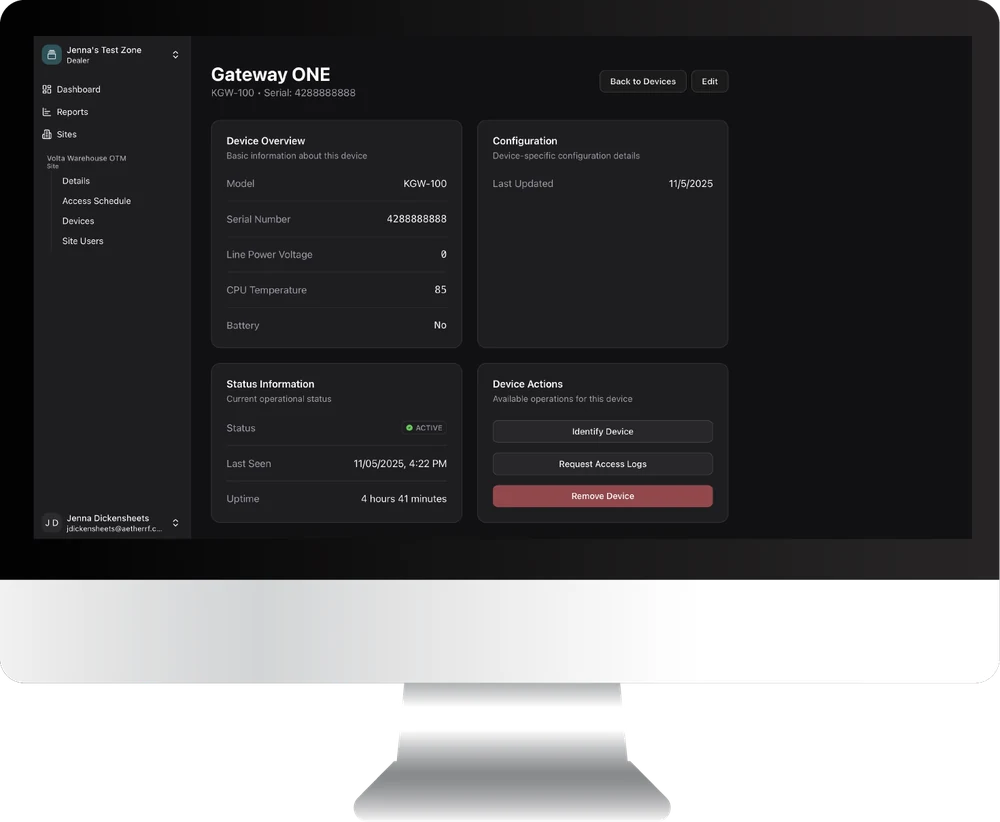
What the Aether RF IoT portal gives you
- See signal strength on every device, now and over time.
- Check uptime, and when a unit was last seen.
- Read the state of the backup battery before it matters.
- Read the temperature the device is actually sitting at.
- See the line voltage reaching the unit, not the one on the drawing.
- Restart a device without driving out to it.
- Pull a unit's command log, to confirm data is passing all the way through.
- Check connectivity from wherever you are.
- Deactivate a device you have retired.
Integrators bill the portal to their own customers as a monthly monitoring service.
The rest of the parts
A point to point bridge is just the two Endpoints. For more than one, start with the kit.
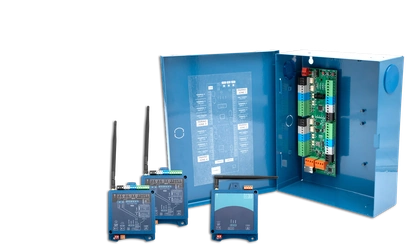 OTM-KOne to Many KitGateway, Tether, two Endpoints and the transformers. Where the bigger jobs start.
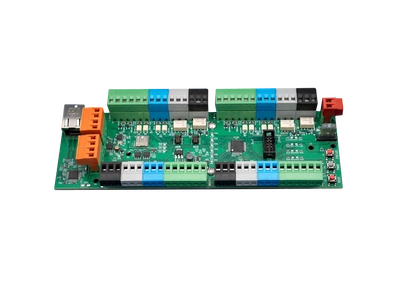 KGW-100KNECT GatewayThe central unit for a One to Many system. Supplied on its own as a bare board, for replacements.
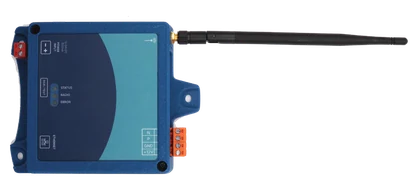 ARF-T100ARF TetherThe Gateway's radio, on up to 400 ft of cable. Comes in the kit.
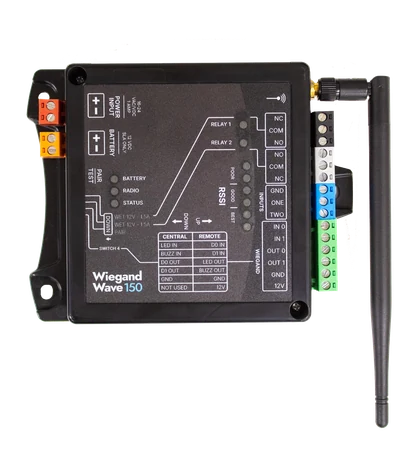 WW150Wiegand Wave 150Same hardware without OSDP or the cloud, at a lower price.
Questions installers ask
How far will it reach?
Most jobs run 500 to 2,000 feet through obstructions. Antenna placement matters more than the raw number.
Do I need two of them?
For a point to point bridge, yes. One at the panel, one at the reader. Adding a gate or door to an existing One to Many system takes only one.
Does adding doors cut the range?
No. Each Endpoint links directly to the central unit, so the distance is the same for every door and gate on the system.
Does it do OSDP?
Yes, Wiegand 4 to 64 bit and OSDP. On a One to Many system the Gateway needs a KGW-H hat for it.
Can I put it in a metal box?
Use a non-metal enclosure. A metal can costs you signal, and it's a common cause of a weak link.
Do I have to use the cloud?
No. You program the units on the device with DIP switches.
How is this different from the Wiegand Wave 150?
Same hardware inside. The Endpoint adds OSDP and the cloud. The Wiegand Wave is Wiegand only and costs less.
How do I know which unit is Central?
Whichever one you wire to the panel. Both wiring layouts are printed on the unit.
How long does setup take?
Under ten minutes with the DIP switches. No software.
Where to buy an Endpoint
Order direct from Aether, or through a security distributor you already have an account with. Same hardware and the same two-year warranty either way.
Order direct
No account needed. Ships from Phoenix.
- PairKEP-202OrderA complete bridge for one gate or door
- SingleKEP-200OrderAdds a gate or door to a One to Many system, or replaces a unit
- Single, in an enclosureKEP-203OrderThe same unit supplied in its enclosure instead of the open chassis
Have questions? Contact us about your order.
Through a distributor
On your account. Picked up at the counter.
- Brooklyn Low Voltage Supply, branch locations, opens in a new tab
- Controlled Products Systems Group, branch locations, opens in a new tab
- IML Security Supply, branch locations, opens in a new tab
- Southwest Automated Security, branch locations, opens in a new tab
Want the branch you already use to stock Aether? Tell us who you buy from and we'll talk to them.
After you buy
| Warranty | Two years, limited, on every KNECT device |
|---|---|
| Warranty claims | Through the distributor branch you bought it from, or direct with us |
| Product support | (602) 396-4186, weekdays 8:30am to 5:30pm Arizona time |
| Main line | (833) 629-3111 |
|---|---|
| Guides and manuals | Open to everyone, no login |
| Your distributor | Some branches handle first-line support themselves, so call yours first. |